
Skip to Content
Looking for... uridan waterless solutions

Account Management – More than One Meter Logged

To display a meter on the graph, the user will select the bullet point next to the name of the meter. When the meter is selected it will change to a solid colour (green = active, grey= inactive). This is an example of where selected meters have been highlighted for display: The selected meters will […]

To display a meter on the graph, the user will select the bullet point next to the name of the meter. When the meter is selected it will change to a solid colour (green = active, grey= inactive).

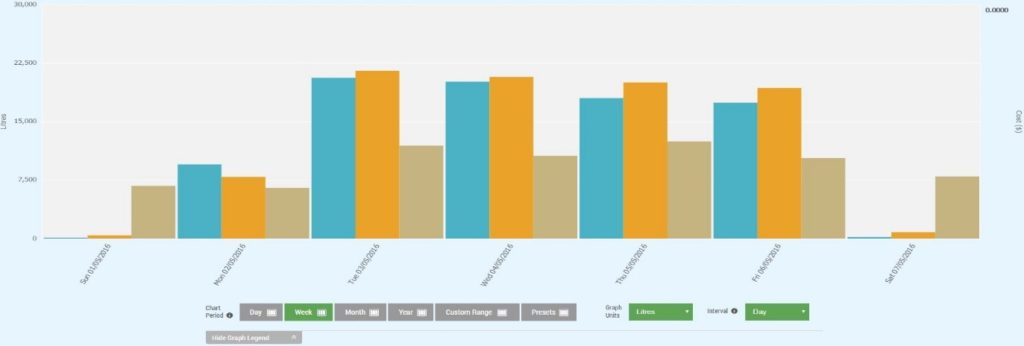
This is an example of where selected meters have been highlighted for display:

The selected meters will be represented on the chart with different colours, a legend below will indicate which colour each meter is.

Close promo bar Get started today. Request a Demo

Request a demo

Tell us a few quick details and we’ll be
in contact to get you started.

    Back to top